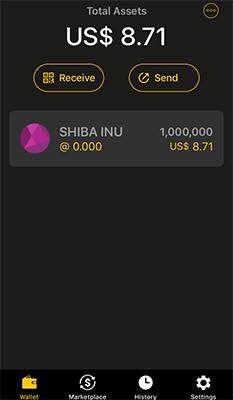
What the CoolWallet hot wallet actually is
Install the CoolWallet app from the official stores — the download guide covers doing that safely — and you get two wallets in one binary, switched by a toggle at the top of the interface. Cold Wallet mode is the companion view for a hardware card: the phone displays, the card signs, keys live in a CC EAL6+ secure element. Hot Wallet mode is the app acting as a standalone software wallet: it generates a seed phrase and derives keys that are stored, encrypted, on the phone itself. No card, no Bluetooth, no e-paper — just your handset and its operating system standing between your keys and the world.
That definition contains the entire security story, so let me restate it plainly: in hot mode, the private keys exist on an internet-connected, app-crammed, pocket-dwelling general-purpose computer. This is not a CoolWallet flaw — it is what every software wallet is, MetaMask and Trust Wallet included. The app encrypts its key material and gates it behind your PIN and biometrics, which is competent engineering, but no encryption changes the category: keys on a networked device are hot, and hot means reachable, in principle, by everything the network can deliver.
Both modes coexist with separate seeds and separate funds — the toggle does not move money, it moves your view. The design intent, which this page endorses, is a funnel: hot mode as the learning ground and spending pocket, cold mode as the vault, one app teaching you both. The mistake worth this page's word count is letting the convenience of the first quietly absorb the job of the second.
Hot vs cold in one app: what the toggle really changes
Because both modes wear the same interface, it is worth being forensic about what changes when you flick that toggle. The answer: everything that matters, and nothing you can see.
| Property | Hot Wallet mode | Cold Wallet mode (with Pro card) |
|---|---|---|
| Where keys live | Encrypted on the phone | Inside the card’s CC EAL6+ secure element |
| What signs transactions | The phone’s processor | The card’s chip, after a physical button press |
| Independent verification | None — the phone screen is all you have | Card’s e-paper display shows what is actually being signed |
| Reachable by phone malware | Yes — same device, same OS | Keys unreachable; malware can propose but not sign |
| Cost | Free | NT$4,679 / ~US$149 for the Pro, per the official site (July 2026) |
| Right-sized for | Pocket money, dApp sessions, learning | Savings, anything painful to lose |
The row to memorize is verification. In cold mode, a compromised phone can paint any lie on its screen, and the card's e-paper display exposes it before you press the button. In hot mode, the phone's screen is simultaneously the display, the signer and the potential liar — there is no second channel. Every other row is a consequence of that one. The cold wallet guide builds this architecture from first principles; here it simply sets the stakes for the practical question this page exists to answer: what belongs on the hot side?
When hot mode is fine — the legitimate use cases
Security absolutists will tell you hot wallets are always wrong, which is how absolutists end up ignored. Hot mode has legitimate jobs, and doing them in the CoolWallet app is as defensible as doing them anywhere:
- Pocket money. Amounts you would carry as cash — sums whose total loss would annoy, not wound. Spending crypto from cold storage for every small transaction is friction that erodes discipline; a hot buffer absorbs it.
- Learning. If you are new, hot mode is the free sandbox: practice receiving, sending, fee mechanics and address hygiene with trivial amounts before any hardware arrives. Every mistake tuition costs pennies here. The Pro tutorial assumes exactly this progression.
- dApp sessions and Web3 experiments. Interacting with DeFi protocols, minting, testing a new chain — activities requiring frequent signatures and carrying their own smart-contract risk regardless of wallet. A small, segregated hot wallet is the right blast radius for them; more below on SmartScan's role.
- Travel float. A modest operational balance for a trip, with savings staying home in cold storage, mirrors exactly how you treat cash and cards.
Notice the common thread: every legitimate case is bounded. The amount is capped by the pain you have pre-accepted, the purpose is operational rather than custodial, and the wallet is understood as a spending instrument. The moment a hot balance stops being something you could shrug off, it has outgrown its container — that is not a moral judgment, it is the threat model arithmetic coming due, and the funnel section below is the remedy.
Hot for the pocket, cold for the vault — and a clean on-ramp
The third piece of the stack is where you buy and cash out. Use a regulated exchange with a genuine security record, and make withdrawing to your own wallet the default, not the exception.
Open a secure exchange accountWhen hot mode becomes reckless — the honest thresholds
Now the other edge. Here are the situations where keeping funds in the CoolWallet hot wallet — or any software wallet — crosses from convenient into indefensible, drawn from the loss patterns I actually see:
- Savings-scale balances "for now". The most common failure is not a decision but a drift: the hot balance grows, moving it is always tomorrow's task, and one day the phone or its owner meets the wrong link. If losing it would change your month, it is in the wrong wallet today.
- A phone that does other risky duty. Sideloaded apps, cracked games, pirated streaming, every airdrop claimed — the hot wallet shares an operating system with all of it. Keys are only as isolated as the device is boring.
- Long-term holding of any meaningful size. Hot wallets are exposure-per-day instruments; time multiplies risk that amount alone understates. Holding for years on a phone is volunteering for the base rate.
- Being a visible target. Public crypto activity, a large followed address, community prominence — targeted phishing raises your threat model above the default, and hot storage prices none of that in.
⚠ The phone is the perimeter. In hot mode, every app you install, every link you tap and every network you join is adjacent to your keys. No wallet app, however well engineered, can be more trustworthy than the device it runs on. Budget your hot balance to that reality, not to the app’s polish.
If several bullets above described you, the fix costs about US$149 — or NT$2,167 for a screen-less Go — and one honest hour with the setup tutorial. Against the balances involved, that is not an expense; it is rounding.
Web3 SmartScan and the in-app browser: useful, not magical
The CoolWallet app ships with a Web3 in-app browser — the doorway to dApps — and a feature called Web3 SmartScan, which, per the official coolwallet.io site (July 2026), analyzes dApp and contract interactions and provides phishing protection: flagging known-malicious sites and suspicious contract behavior before you sign. The app rounds this out with swap, buy/sell via third-party on-ramp partners, staking, an NFT gallery and price alerts — a genuinely complete hot-wallet toolkit.
An auditor's assessment of SmartScan: use it, and never rely on it. Screening tools of this kind are real value — they catch the known-bad efficiently, which is most of what a casual user will ever encounter. But their blind spot is structural: a scanner recognizes patterns it has seen, and the scam that empties experienced wallets is by definition the fresh one. Contract approvals deserve your own eyes regardless of any green checkmark: what token, what allowance, what site is asking, and does the ask match what you came to do. An unlimited-allowance request from a site you reached via a DM link is a robbery in progress whether or not any scanner objects.
Two habits make the in-app browser dramatically safer. First, treat it as the only door to dApps from your hot wallet — typed or bookmarked URLs, never links from chats, search ads or QR codes. Second, periodically review and revoke stale token approvals; approvals are standing permissions, and old ones are forgotten skeleton keys. Neither habit costs a minute; both close the doors that scanners cannot.
The hot wallet threat model: malware, phishing, shoulder-surfing
Precision beats fear, so here is exactly what hunts a hot wallet, in descending order of real-world frequency.
Phishing — the overwhelming leader. Not code, but theater: fake dApps, fake support agents, fake airdrop pages, fake "wallet migration" notices, and every variant funneling toward either a malicious signature or your seed phrase. The login page dismantles the flagship version — there is no CoolWallet login, so any page offering one is hostile. The hot-wallet-specific exposure is signature phishing: you are asked to approve something that is not what it claims. Slow reading of every approval is the entire defense.
Malware. Clipboard hijackers that swap pasted addresses (verify first and last characters, always); malicious apps with overlay or accessibility abuse; and on sideloading-friendly setups, trojanized wallet apps themselves — which is why the no-APK rule in the download guide is not pedantry. A phone that only runs store-vetted apps and current OS updates starves most of this class.
Shoulder-surfing and physical access. The unglamorous vector: someone watches you type your PIN on a train, later lifts the phone, and the wallet opens for them. Biometrics-first unlocking, an alert posture in public, and never letting the hot balance exceed pocket-money scale keep this vector at pickpocket severity rather than catastrophe.
What is not in the model: exotic chip attacks, Bluetooth interception, brute-forcing encryption. Attackers take the cheap path, and the cheap path is always you — your taps, your trust, your seed phrase. Which is exactly why the same backup rules govern hot and cold alike, as the next section insists.
Backup rules are identical: the seed does not care that it is hot
A dangerous instinct pairs with hot wallets: since the amounts are small and the wallet is casual, the backup can be casual too. Wrong in both directions, and worth a section of its own.
The hot wallet's seed phrase — 12, 18 or 24 words, generated at creation — is governed by exactly the same iron rules as a hardware seed. Handwritten, on paper, twice. Two locations. Never photographed, never in a notes app, never in a password manager, never in cloud anything, never typed into a website — no exceptions for "it is only my spending wallet". Two reasons the full discipline still applies. First, phones die, drown and vanish weekly, and the seed is the only recovery there is; a casual wallet with no backup is a countdown, not a wallet. Second, and less obvious: a sloppily stored hot seed is a phishing rehearsal — the habits you practice on the small wallet are the habits your hands will repeat on the big one. Discipline is a muscle, and it does not know which seed it is holding.
One extra rule unique to the two-mode setup: keep the seeds distinct and labeled. Your hot seed and your card's cold seed are different phrases guarding different funds — store both properly, marked clearly enough that future-you, restoring in a stressful moment, cannot confuse them. And if a hot seed is ever exposed or even doubted, treat it as burned: new wallet, new seed, funds moved, per the rescue matrix on the login page. Seeds are free; doubt is expensive.
The funnel: graduating funds from hot to cold
The CoolWallet app's two-mode design implies a workflow that its own interface never states outright, so let me state it: hot mode is a lobby, not a residence. Here is the graduation protocol, tuned from years of advising people through it.
- Set a ceiling in advance. Pick your number — the amount whose total loss you pre-accept, pocket-cash scale — while calm. Decisions made in advance survive; decisions deferred to the moment lose to inertia every time.
- Sweep on breach, on schedule. When the hot balance crosses the ceiling — from buying, income, or appreciation — move the excess to your card's cold wallet. Ritualize it: first weekend of the month, alongside your other financial housekeeping.
- Use the ritual properly. Toggle to cold mode, get the receiving address, verify it on the card's e-paper display — the habit from the tutorial, which never takes a day off — and send from hot to cold. First time on any chain: small test amount first, always.
- Keep the funnel one-directional by default. Cold-to-hot transfers happen only for a specific planned spend, sized to that spend. The vault feeding the pocket on demand is fine; the pocket becoming a second vault is the drift this protocol exists to prevent.
- No card yet? The ceiling is your purchase trigger. The first breach is the market telling you that your holdings now justify hardware — NT$4,679 for the Pro or NT$2,167 for the Go, per the official site (July 2026), with the trade-offs mapped on the cons page and legitimate savings on the discount page.
Versus MetaMask or Trust Wallet, this funnel is the CoolWallet hot wallet's one structural advantage: the vault lives in the same app, one toggle away, so graduation has no excuse costs — no new software, no new seed ceremony, no learning curve. The competitors are fine hot wallets; none of them ships with its own cold storage attached. Use the advantage, or the toggle is just decoration.
Frequently asked questions
What is the CoolWallet hot wallet?
A software wallet mode built into the official CoolWallet app: it generates and stores encrypted keys on your phone, no hardware card required. A toggle at the top of the app switches between Hot Wallet (phone keys) and Cold Wallet (keys in a paired card’s secure element). The two modes have separate seeds and hold separate funds.
Is the CoolWallet hot wallet safe?
As safe as a well-made software wallet can be — encrypted keys behind PIN and biometrics, plus Web3 SmartScan phishing protection — which means: safe enough for pocket-money amounts, not for savings. Keys live on an internet-connected phone, reachable in principle by malware and phishing. Anything painful to lose belongs in cold storage on a card.
How is the hot mode different from using a CoolWallet Pro?
Location of keys and independence of verification. Hot mode keeps keys on the phone and signs with the phone — the same screen that could be lied to by malware. With a Pro, keys sit in a CC EAL6+ secure element, signing requires a physical button press, and the card’s e-paper display shows what is genuinely being signed, independent of the phone.
Is the CoolWallet hot wallet better than MetaMask or Trust Wallet?
Comparable as a hot wallet — solid engineering, multi-chain support, an in-app Web3 browser with SmartScan contract analysis. Its structural advantage is the built-in escape hatch: cold storage lives in the same app, one toggle away, so graduating funds to a hardware card requires no new software or seed ceremony. Competitors are hot-only.
Do I need to back up the hot wallet seed phrase too?
Yes — identical rules, zero casualness. Handwrite the 12, 18 or 24 words twice, store the copies in two places, never photograph or type them anywhere. Phones die and vanish; the seed is the only recovery. Keep hot and cold seeds clearly labeled and separate, and if a hot seed is ever exposed or doubted, move funds to a fresh wallet immediately.
How much money is reasonable to keep in hot mode?
Pocket-cash scale: an amount whose total loss you have consciously pre-accepted — for most people, spending money for the week or month, not more. Set the ceiling in advance and sweep the excess to cold storage on a schedule. The honest test: if losing the balance would change your month, it has already outgrown the hot wallet.